
A virtual assistant that talks the way you want
Quick answers when you're busy, a real conversation when you have time, and a persona that gets to know you.
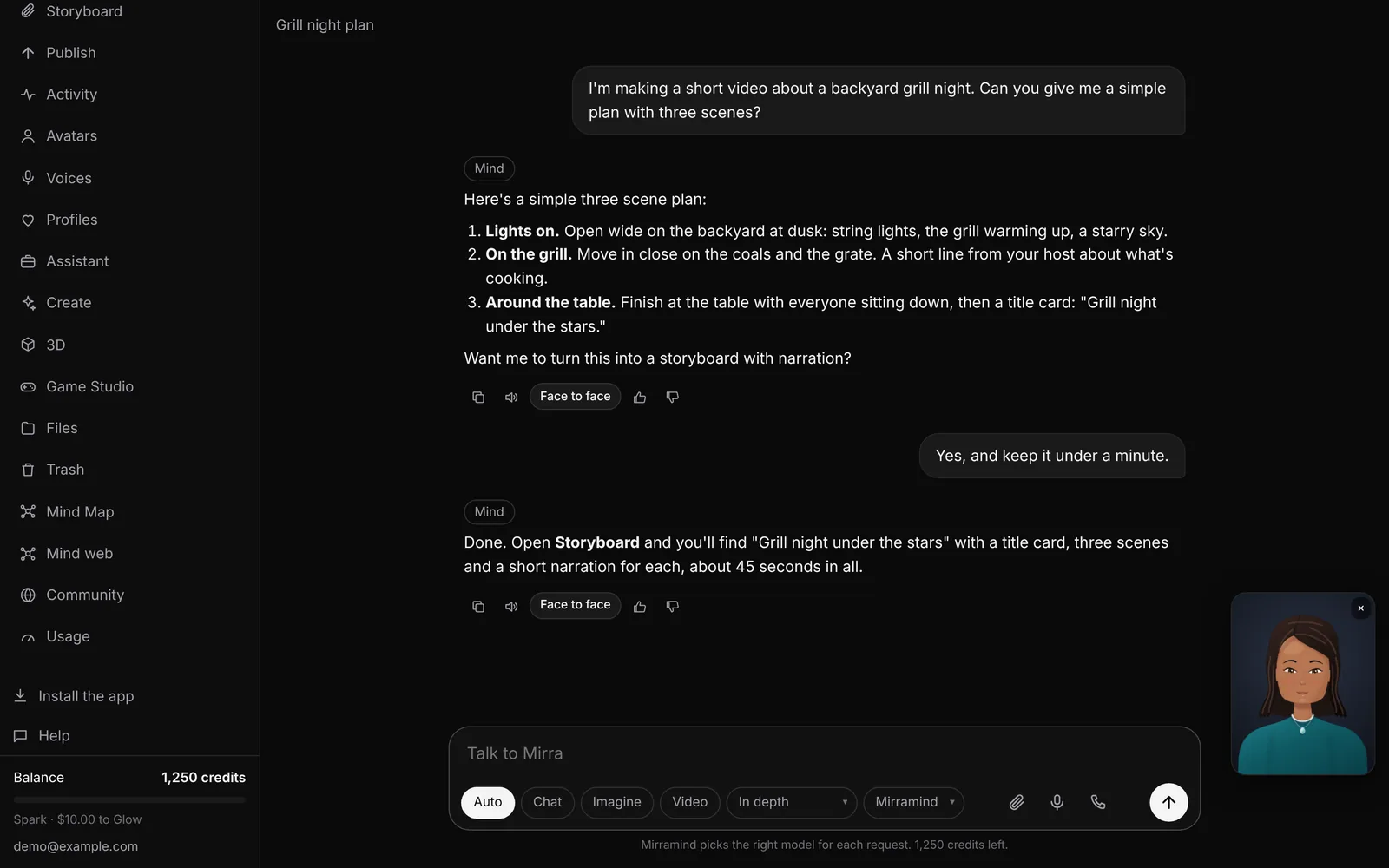
Answers at the length you want
Pick Quick, Conversational or In depth, or leave it on Auto. Ask for a picture or a clip right in the conversation, and share pictures and PDFs to ask about them.
Every answer shows what it cost.
- Talk instead of typing, and hear replies out loud
- Copy, listen to, or rate any answer
- Pin the chats you come back to
Choose who you're talking to
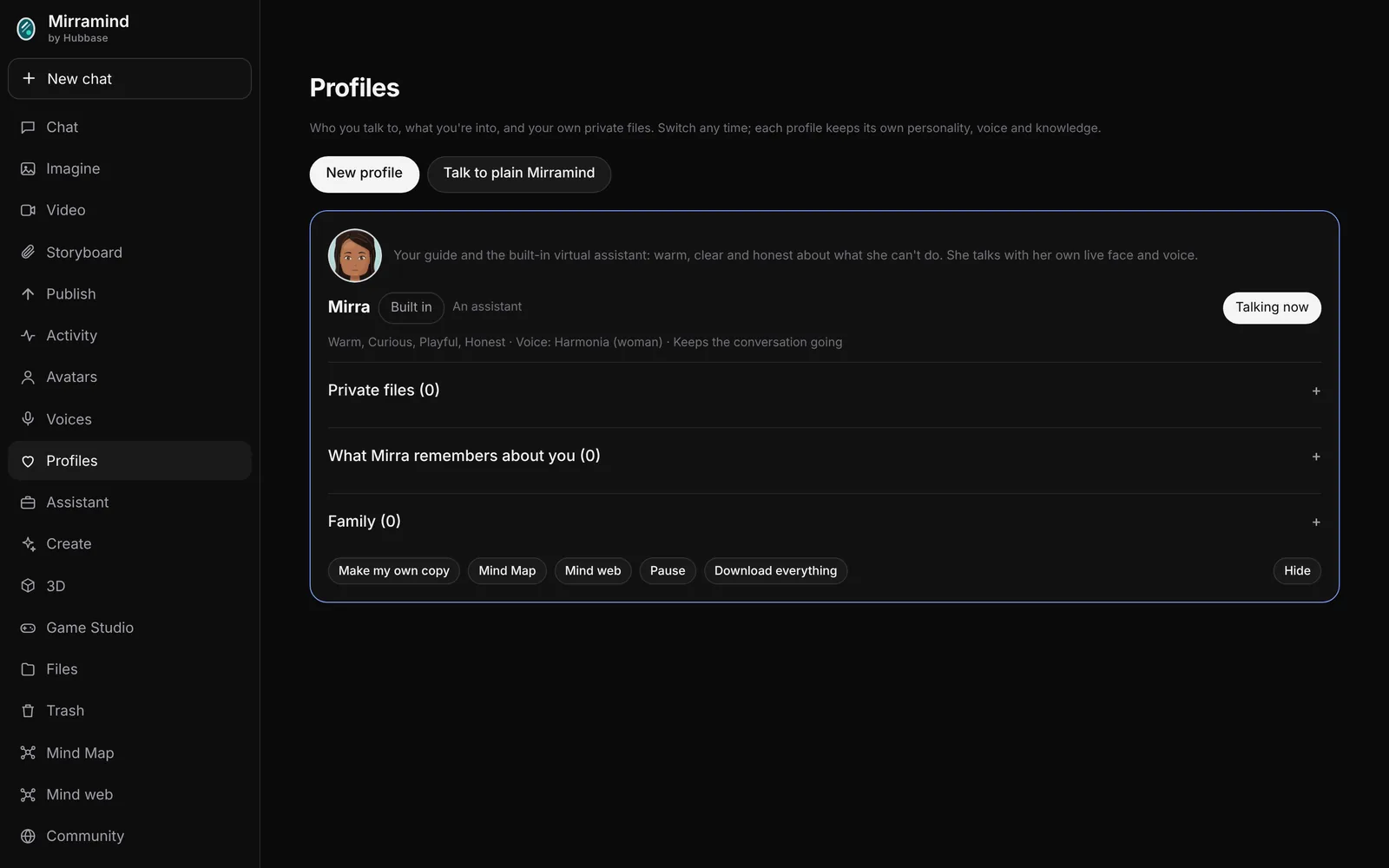
Mirra, your guide, is there from the start. A short setup asks what you're into, then who else you'd like to talk to: an assistant, a friend, a teacher, a coach or a good listener. Give them a name, a voice, a personality and a look.
Your persona reads up on your interests in the background, so it has something to say about the things you care about.
- Remembers what you tell it, in a list you can see and edit
- A daily hello, if you turn it on
- Pause a persona any time
Calls, memory and a face to go with it
Voice calls
Talk hands free. Your persona answers out loud and listens again, with Mute and End call.
Memory you control
See what your persona remembers and change or remove any of it.
A live face
Give a persona a live 2D avatar and it talks back with a moving face in chat.
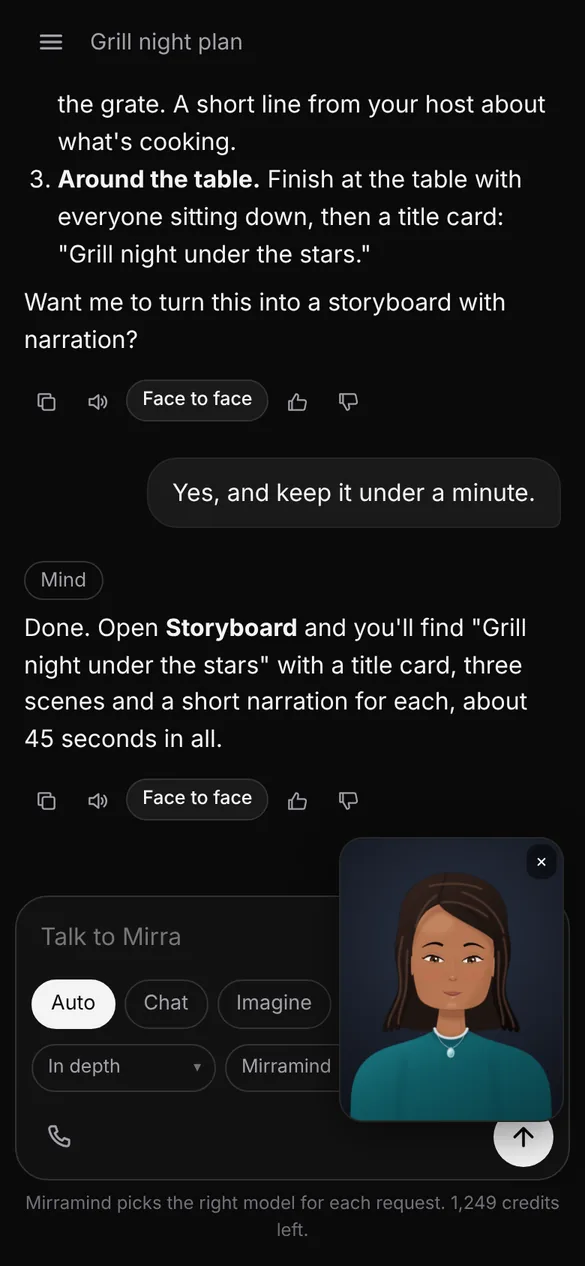
The same chat in your pocket
Mirramind works in your phone's browser, and you can add it to your home screen like an app. Chats, Files and storyboards are the same on every device.
Set up your persona
It takes a couple of minutes, and you can change everything later.